“AI PC” is now printed on many laptop boxes, but the label does not tell you what the computer can actually do. The component behind the marketing is often an NPU, short for Neural Processing Unit.
An NPU is a specialized processor for artificial-intelligence workloads. It handles selected tasks more efficiently than a general CPU and can use less battery than sending every operation to a powerful GPU or a remote cloud service.
What an NPU does
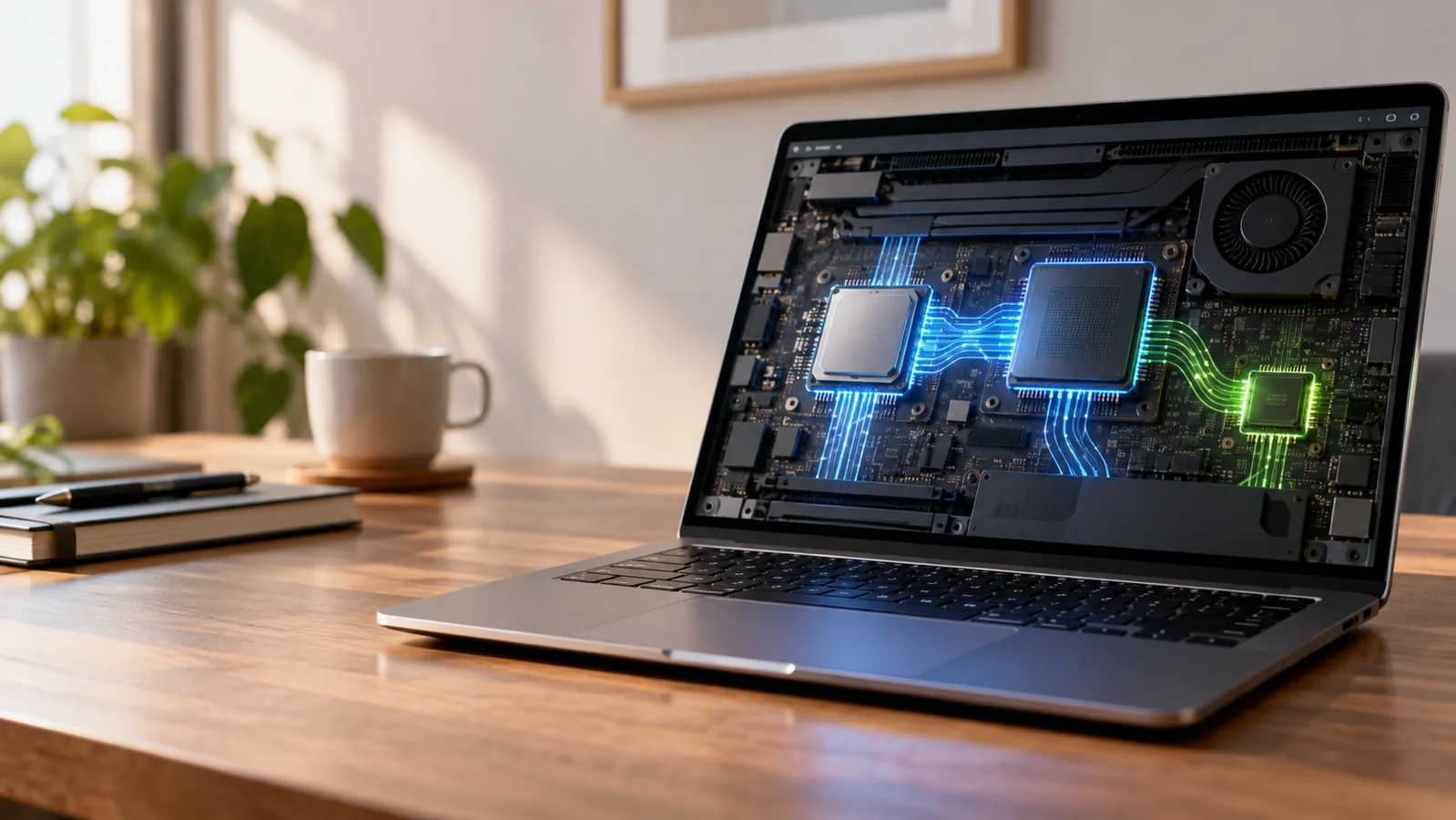
A CPU is a flexible general-purpose processor. A GPU is built to run many parallel calculations, which makes it useful for graphics and many AI models. An NPU is designed specifically for neural-network operations such as background effects, voice processing, translation, image analysis, and other on-device features.
The NPU does not replace the CPU or GPU. Windows and applications decide which processor is best for a particular task.
For example, a video-call effect may use the NPU for face framing or background processing while the CPU runs the meeting application and the GPU draws the video.
Local AI versus cloud AI
On-device AI runs on the computer. Cloud AI sends some data to a remote service for processing. Both approaches are useful.
- Local processing: can work with weak internet, reduce round-trip delay, and keep some data on the device.
- Cloud processing: can use larger models and more server capacity than a laptop can provide.
- Hybrid processing: chooses the local or cloud path depending on the task, settings, and application.
An NPU improves the local part of that equation. It does not make a cloud chatbot faster when the work is happening on a remote server.
What “40 TOPS” means
TOPS means trillions of operations per second. It is a theoretical throughput figure, not a direct measurement of application quality or laptop speed.
Microsoft’s Copilot+ PC requirements use an NPU capable of at least 40 TOPS, along with minimum memory, storage, and Windows 11 requirements. That number is useful for identifying a class of hardware, but it does not tell you how well every AI feature will run.
Two laptops can have NPUs with similar TOPS ratings and still differ in drivers, cooling, battery life, software support, and the models they can run locally.
Do you need an NPU to use AI?
No. You can use web-based AI services, desktop applications, transcription tools, and cloud assistants on a computer without an NPU.
You should care about an NPU when you want built-in on-device features, longer battery life during supported AI tasks, local processing for privacy reasons, or a laptop that is likely to receive new Windows AI features over several years.
If your work is mostly browser tabs, documents, email, and video calls, a balanced CPU, enough RAM, a good screen, and a comfortable keyboard may matter more than an AI label.
What to check before buying an AI PC
- Exact processor model: “AI PC” covers several chip families. Look up the NPU rating for the exact model, not just the product family.
- RAM: 16 GB is a practical starting point for a modern Windows laptop, especially if you use local AI features alongside normal work.
- Storage: check the SSD capacity and whether it can be upgraded. AI tools, creative applications, and local models can consume space.
- Software support: verify which features are available in your Windows version and region.
- Battery and thermals: a fast NPU does not compensate for poor cooling or a small battery.
- Your real workflow: choose features you will use, such as live captions, video-call effects, image editing, or local document search.
For storage planning, compare the capacity you actually need in our 1TB vs. 2TB SSD guide before paying for a larger internal drive.
Common AI PC misunderstandings
“An NPU makes every AI app local.” No. The application must support the NPU and the operating system must provide the right model and driver path.
“40 TOPS means the laptop is 40 times faster.” No. TOPS is a hardware throughput metric, not a universal speed multiplier.
“AI PC means the laptop understands everything offline.” No. Some features are local, some are cloud-based, and many are hybrid.
“A cloud AI service is less private because the laptop has no NPU.” Privacy depends on the specific service, account settings, data retention, and the information you send. Hardware alone does not answer that question.
Bottom line
An NPU is a useful accelerator for supported on-device AI tasks. It can make features such as translation, camera effects, and local intelligence more efficient, but it does not replace a strong CPU, a capable GPU, adequate RAM, or good software.
Buy an AI PC because its specific local features match your workflow. Treat the NPU rating as one specification to verify, not as a promise that every AI task will be faster.
Where an NPU actually matters
An NPU is easiest to understand as a specialized processor for certain AI workloads. That does not mean every application will use it, or that an AI PC will automatically make every task faster. The useful question is whether the software you already use can take advantage of the hardware.
| Workload | Potential NPU value | What to verify |
|---|---|---|
| Local AI effects in supported apps | Can reduce reliance on the CPU/GPU for supported operations | App support and exact feature requirements |
| Video effects during calls | Useful when the software supports local AI acceleration | Operating-system and app compatibility |
| Ordinary Office work | Often little direct benefit from the NPU alone | Whether your actual apps use NPU acceleration |
| Cloud-based AI services | The remote service may do most of the AI processing | Which parts are processed locally |
How to compare an AI PC without getting distracted by the label
Start with the tasks that matter: battery life, application performance, memory, storage, display quality, ports, and the software you actually use. Then treat the NPU as an additional capability. If two otherwise similar laptops meet your needs, the model with a useful NPU may have a longer feature runway as more applications add local AI functions.
Do not buy solely because a specification lists a large TOPS number. Different vendors measure and expose AI performance differently, and an application’s support determines whether the theoretical capability becomes a visible benefit. Check the exact Windows features and application requirements before paying a premium.