Explore TechRankly
Home Office
Build a desk setup that works together. Practical guidance on USB-C, docks, displays, chargers, and everyday compatibility.
Home Office
Does your external USB webcam freeze mid-meeting or show a black screen in Zoom and Microsoft Teams? Fix USB 3.0 isochronous bandwidth, frame…
6 min read · TechRankly Editorial
Home Office
Does your external monitor flicker or disconnect through a USB-C or Thunderbolt dock? Check bandwidth, cables, power, firmware and display settings.
4 min read · TechRankly Editorial
Home Office
A monitor that works until sleep or wake is a different problem from a monitor that never works. This troubleshooting path isolates the…
5 min read · TechRankly Editorial
Home Office
A dock can simplify cabling, but it cannot override every MacBook Air display limit. Here is how M5, M4, M3, and M2 differ.
6 min read · TechRankly Editorial
Home Office
USB4 and Thunderbolt 4 use the same USB-C shape, but they do not guarantee the same speed, display support, or SSD performance.
5 min read · TechRankly Editorial
Home Office
Two HDMI ports do not guarantee two 4K 60Hz displays. USB-C docks have to divide limited high-speed lanes between video and data.
6 min read · TechRankly Editorial
Home Office
MST and DisplayLink can both connect multiple monitors, but they work differently. Learn which USB-C dock technology fits your laptop, Mac, resolution, and…
6 min read · TechRankly Editorial
Home Office
The M5 MacBook Air can run two external displays while keeping its built-in screen active. Here is what Apple actually supports, what a…
6 min read · TechRankly Editorial
Home Office
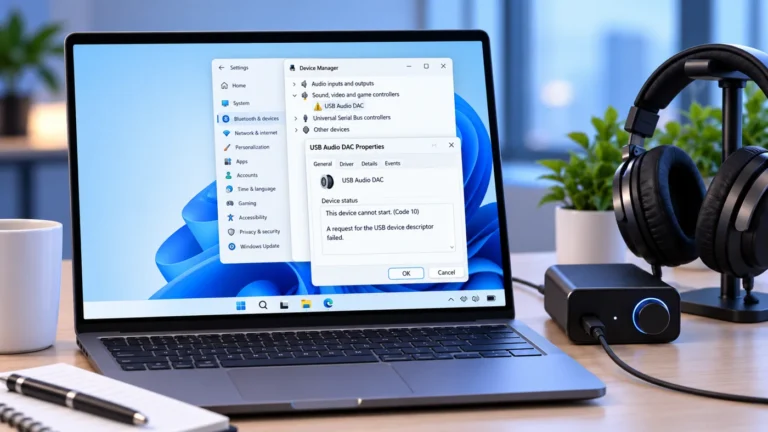
Windows 11 USB audio showing Code 10 after the September 2026 update? Check affected versions, partial Microsoft fixes, and safe next steps.
9 min read · TechRankly Editorial
Home Office
USB-C monitor not detected in Windows 11? Use this diagnostic path to check video support, the cable, monitor input, Windows settings, and drivers.
6 min read · TechRankly Editorial