Reviewed September 19, 2026. TechRankly is an independent technology publication. We are not affiliated with Xfinity or Comcast, and we do not process Internet Essentials applications.
Quick eligibility check
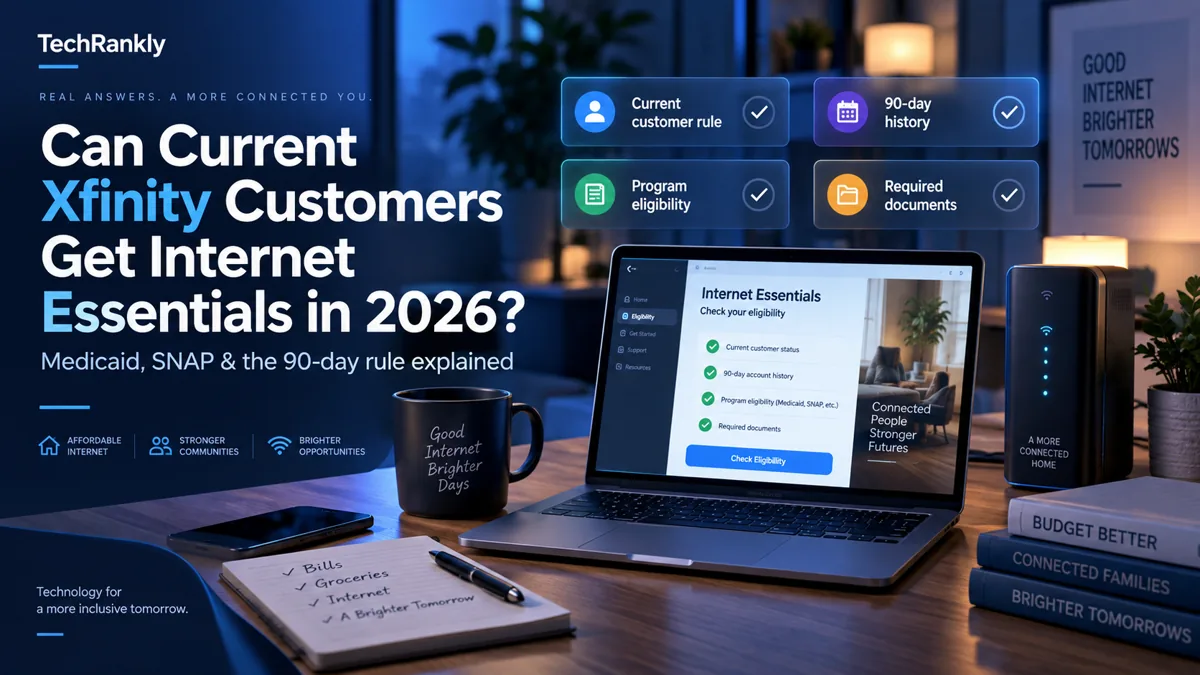
| Question | What Xfinity currently requires |
|---|---|
| Do you live where Xfinity Internet is available? | Yes. Service availability is required. |
| Do you participate in a qualifying assistance program? | Programs listed by Xfinity include Medicaid, SNAP, housing assistance and the National School Lunch Program, among others. |
| Can income qualify you instead? | Xfinity also lists household income at or below 200% of the Federal Poverty Level as an eligibility path. |
| Do you currently have regular Xfinity Internet? | That normally blocks a new Internet Essentials application. |
| Have you had Xfinity Internet in the last 90 days? | That also normally blocks eligibility. |
| Do you owe Comcast money from less than one year ago? | Current program terms say recent outstanding debt or unreturned equipment can make you ineligible. |
Why Medicaid or SNAP alone is not enough
It is easy to read the list of qualifying assistance programs and assume that receiving Medicaid or SNAP automatically means you can move an existing Xfinity account to Internet Essentials. The program has more than one eligibility test.
Xfinity’s current terms separate financial/program eligibility from account eligibility. A household may satisfy the assistance-program requirement and still fail the application because someone at the address currently has Xfinity Internet, had Xfinity Internet within the last 90 days, or has recent unresolved Comcast debt or equipment.
This distinction matters because it explains a common situation: the applicant has valid Medicaid or SNAP documentation, but the application website still refuses to proceed.
Can an existing Xfinity customer downgrade directly to Internet Essentials?
Under the current published rules, not normally. Xfinity’s Internet Essentials page says an applicant must be not an existing Xfinity Internet customer or must not have had Xfinity Internet during the previous 90 days.
Xfinity employees have also repeated this rule in the company’s own community forum in 2026 when current customers asked to move from a standard plan to Internet Essentials. In those cases, the assistance-program qualification was not the issue; the active Xfinity Internet account was.
That means calling the program a simple “downgrade” can be misleading. Internet Essentials has its own eligibility rules rather than functioning as a normal lower-priced tier that every current customer can select.
What the 90-day rule actually means
The current terms say you must not have had Xfinity Internet within the last 90 days. The safest interpretation is to treat this as a formal program requirement, not a technical error that a different browser, store employee, or chat agent can bypass.
If you recently canceled standard Xfinity Internet, count the 90-day period from the end of that service and verify your eligibility again with Xfinity before applying. Program terms can change, so always confirm the rule on the official application page before making a cancellation decision.
What if someone in your household receives Medicaid or SNAP?
That can help satisfy the public-assistance portion of the application. Xfinity currently names Medicaid and SNAP among qualifying programs. The household still needs to meet the rest of the criteria.
A useful way to think about the process is:
- Check location: Is Xfinity Internet offered at your address?
- Check financial eligibility: Do you qualify through an accepted program or household income?
- Check account history: Are you currently an Xfinity Internet customer, or have you had the service in the last 90 days?
- Check account obligations: Is there recent debt or unreturned Comcast equipment?
- Apply only after all four checks make sense.
What documents may be useful?
Xfinity may ask applicants to prove participation in an eligible assistance program or household income. The exact document depends on the eligibility route. Before starting, have a current document that clearly connects the household member to the qualifying program, plus the information requested in the application.
Do not upload sensitive documents to third-party sites that claim they can “approve” Internet Essentials. The application should be completed through Xfinity’s official Internet Essentials process.
What if the website says you are not eligible?
First identify which requirement is failing instead of repeatedly resubmitting the same application.
- Current Xfinity Internet: the 90-day rule is the likely obstacle.
- Recent Xfinity service: check when service actually ended.
- Assistance program not verified: review the program name and documentation.
- Income route: confirm the current household-size limit shown by Xfinity.
- Recent debt or equipment: verify whether Comcast shows an unresolved balance or unreturned device.
- Address problem: confirm that Internet Essentials is available at the service address.
Is Internet Essentials the only low-cost internet option?
No. If the 90-day rule makes Xfinity Internet Essentials unavailable, do not assume you have no other options. Depending on your address and eligibility, other providers may operate their own low-cost programs, and the federal Lifeline program may also be relevant for eligible households.
Compare the total monthly cost, available speed, equipment charges, contract terms and service availability before canceling an existing connection.
If your main concern is dropped or frozen video calls, use our Wi-Fi video-call troubleshooting guide to distinguish a local connection problem from an internet-service limitation before changing plans.
Official application and program information
Use Xfinity’s own site to confirm eligibility and apply:
Check Internet Essentials eligibility on Xfinity.com →
TechRankly does not receive, review or approve applications. If a rule on this page conflicts with the current Xfinity application or terms, the official Xfinity information controls.
Common questions
Can I get Internet Essentials if I already have Xfinity and Medicaid?
Medicaid can satisfy the public-assistance portion of eligibility, but the current Xfinity rules also say you cannot be an existing Xfinity Internet customer or have had Xfinity Internet during the previous 90 days.
Can I switch from a regular Xfinity plan directly to Internet Essentials?
Current published eligibility rules generally prevent that direct switch because active regular Xfinity Internet service conflicts with the 90-day requirement.
Does SNAP qualify for Internet Essentials?
Xfinity currently lists SNAP among qualifying assistance programs, subject to the other program requirements.
Does the 90-day rule disappear if I was previously on ACP?
The Affordable Connectivity Program has ended, and Xfinity’s current Internet Essentials terms still publish the 90-day requirement. Check the current official terms before acting.