First confirm that coverage is the problem
A new wireless device is unlikely to solve an internet outage or an overloaded computer. Compare the normal desk location with a location near the primary router, and use Ethernet as a reference if possible. Our video-call troubleshooting guide gives a controlled sequence.
If both the near-router and desk connections perform poorly, investigate the upstream service and shared traffic first. If moving closer helps, a coverage or placement change is a more plausible investment.
| Option | Useful starting case | Main trade-off |
|---|---|---|
| Wired access point | Ethernet reaches the office or a nearby room | Requires a suitable wired path and configuration |
| Mesh system | Several areas need coordinated coverage | Wireless node placement and ecosystem compatibility matter |
| Range extender | A limited dead zone and modest requirements | Depends heavily on its upstream signal and operating mode |
| No new equipment | Router placement can be improved | May not overcome the building’s physical constraints |
Do not place the repeater inside the problem
A device using wireless backhaul needs a usable connection to the network upstream. Putting it at the farthest point with almost no signal may leave it repeating a weak connection. Test a position between the router and the office, following the manufacturer’s placement guidance.
Think about the two separate links: laptop to node, and node to router. Full signal bars for the first link do not prove the second link is good. An app may provide a connection-quality indicator, but the final check should be a representative call or transfer from the desk.
Use existing wiring when it fits the system
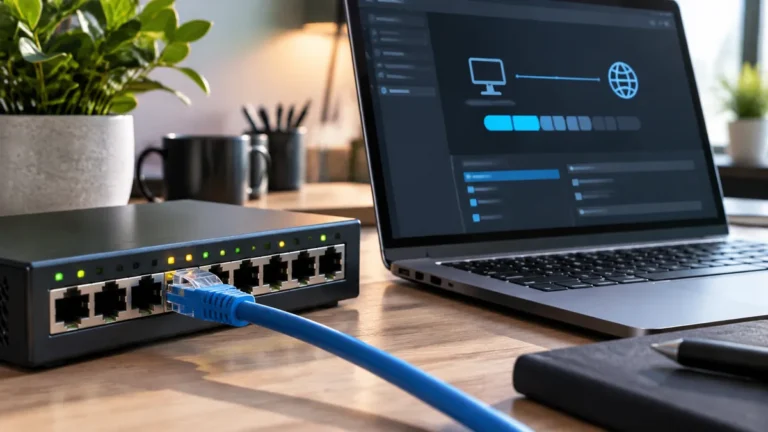
If Ethernet already reaches the office, a wired access point or compatible mesh node can reduce dependence on wireless backhaul. The correct topology varies by product and operating mode. For example, TP-Link’s Deco documentation distinguishes wiring rules for Router and Access Point modes.
A mesh system to compare when several rooms need coverage
Affiliate disclosure: As an Amazon Associate I earn from qualifying purchases. Some links below are affiliate links. See our affiliate disclosure.
The TP-Link Deco X55 three-pack is one candidate when you need coordinated Wi-Fi coverage across several rooms and want the option of Ethernet backhaul. Check availability on Amazon. TP-Link lists Wi-Fi 6, three Gigabit Ethernet ports per unit, and optional Ethernet backhaul. It is more system than you need for one small dead zone, and placement still matters when the nodes use wireless backhaul.
That documentation is specific to Deco; do not apply its diagrams automatically to another brand. Check the manual for the exact system and confirm that your existing switches and cables are supported.
Compare the complete cost
Include the required number of nodes, power supplies, Ethernet adapters, and any installation work. Check whether features you need rely on a paid subscription. A low entry price is less useful if the necessary capability is unavailable without another purchase.
Also check firmware support, the return policy, and the ability to manage the system comfortably. More nodes are not automatically better. Place and test the minimum arrangement that solves the measured problem before expanding.
Buy for the room you use
For a fixed desk near existing wiring, start with the wired options. For several rooms and mobile devices, consider a coordinated mesh setup. For one modest dead zone, an extender may be enough if it has a good upstream connection and passes the workload test.
Avoid making the decision from advertised combined wireless speeds alone. Your computer’s support, the building, interference, and backhaul all affect the experience. See how Ethernet backhaul works before paying for a higher wireless specification.
How to choose between mesh Wi-Fi, an extender, and an access point
The three options solve different problems. A mesh system is designed to coordinate multiple wireless nodes. A range extender repeats an existing wireless network to reach a weak area. An access point adds a new wireless coverage point using a wired network connection. The best choice depends less on the advertised maximum speed and more on the layout of the building and whether you can run Ethernet.
Choose an extender when the problem is small and simple
An extender can make sense when one room has a weak signal and the existing router is otherwise adequate. It is usually the simplest approach, but placement matters. If the extender is installed in the dead zone where it barely receives the original signal, it has little useful information to repeat. Place it where it can still communicate reliably with the main router.
Choose mesh when you need coordinated coverage
Mesh is more appropriate for larger homes, multiple floors, or spaces where one router cannot provide consistent coverage. Nodes can coordinate the network and give devices a more consistent way to move around the property. The result still depends on node placement and backhaul quality.
Choose an access point when Ethernet is available
If you can run Ethernet to another part of the building, an access point can be a very clean solution. The wireless radio can be placed where coverage is needed while the data travels over a cable instead of another wireless hop. This is especially attractive for a home office where a network cable can be routed once and left in place.
| Situation | Good starting point |
|---|---|
| One weak room | Extender |
| Several coverage areas | Mesh |
| Ethernet available at the weak area | Access point |
| Performance problems near a wired desk | Consider Ethernet first |
Do not compare only the box speed
Advertised Wi-Fi rates describe theoretical radio capabilities, not the speed a laptop will necessarily receive in a real room. Walls, interference, client hardware, channel conditions, and backhaul can all change the result. Before upgrading, measure the connection where the problem actually occurs.
If the goal is stable video calls, our video-call troubleshooting guide can help determine whether Wi-Fi is actually the problem. If you already have Ethernet between mesh nodes, see how to verify Ethernet backhaul. That check can prevent you from buying a faster wireless system when the real improvement is simply using the cable you already have.
Match the network design to the building
A mesh coordinates access points, an extender repeats a wireless signal, and a wired access point uses Ethernet to create another radio location. Test placement where the office actually sits; an extender inside the dead zone will repeat a weak connection. Measure latency, packet loss, upload, roaming, and stability during a real call. Update firmware, set a strong administrator password, and disable unused remote management before comparing hardware.
Practical verification checklist
- Write down the exact models, operating-system versions, cables, and settings involved.
- Start with a known-good baseline, then change one component at a time.
- Repeat the check under the workload that matters, not only in an empty setup.
- Record the result, the limitation, and the condition that produced it.
- Keep a fallback or recovery step before making the change part of daily work.
Use the manufacturer’s current documentation for model-specific limits and safety instructions. Do not infer compatibility from a product name alone. If the result changes after an operating-system, firmware, plan, or account update, repeat the same baseline and compare the new evidence with the old record. This makes the recommendation useful beyond a single specification sheet and gives the reader a practical way to verify it on their own equipment.
Before publishing or purchasing, review the decision against the real constraints: budget, workload, compatibility, privacy, maintenance, and recovery. A solution that meets one benchmark but fails during sleep, restore, sharing, or a normal busy-day workload is not ready. Keep the notes with the setup so another person can reproduce the check without guessing.