Ethernet backhaul is one of those networking upgrades that sounds more complicated than it really is.
A mesh system needs a way for its main router and satellite nodes to communicate. That link is the backhaul. It can be wireless, or it can run over Ethernet.
The simple argument for Ethernet backhaul is that a cable is more predictable than Wi-Fi. The more useful question is whether that predictability will solve a problem you actually have.
What backhaul is doing
Your mesh satellite is not an independent Internet connection. It has to move traffic back to the main router, which is connected to your modem or gateway.
NETGEAR describes backhaul as the communication between a mesh router and its satellites. Wireless mesh systems can dedicate a radio band to that job, share a band with client devices, or use Ethernet instead.
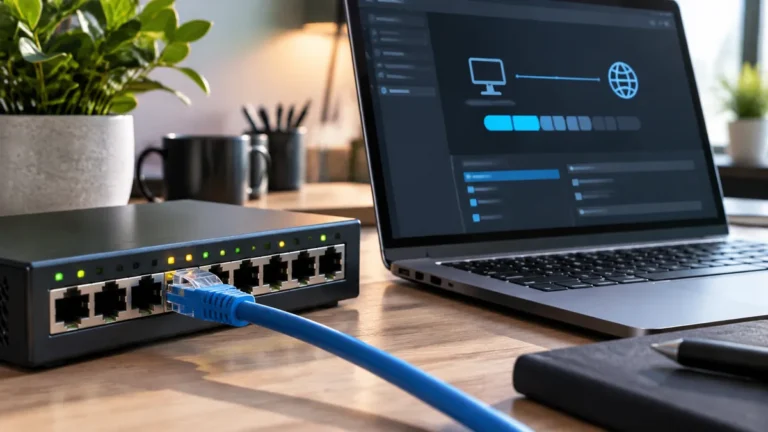
When you connect a node by Ethernet, the router and node no longer need to use Wi-Fi airtime for that link.
That can free wireless capacity for phones, laptops, cameras, TVs, and other client devices.
When Ethernet backhaul makes the biggest difference
The upgrade tends to matter most when the wireless link between nodes is already struggling.
Common examples:
- the satellite is separated from the main router by multiple walls,
- the house has dense masonry or reinforced concrete,
- the node sits on another floor,
- the wireless backhaul RSSI is weak or unstable,
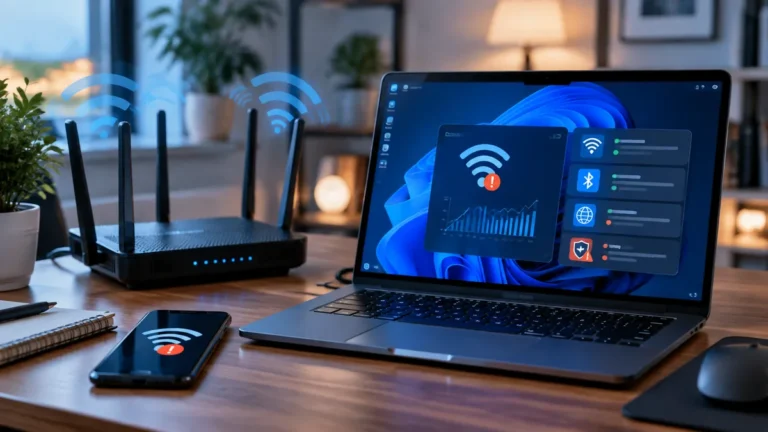
- video calls or large downloads slow down when devices roam to a satellite,
- or the mesh system uses the same band for client traffic and backhaul.
ASUS specifically recommends considering wired backhaul when node distance or building partitions make the wireless link poor.
In those situations, Ethernet is not just about a higher speed-test number. It can remove the weakest wireless hop from the route.
Why the result may be smaller than you expect
If your nodes already have an excellent wireless link, wired backhaul may not transform everyday browsing.
Tri-band mesh systems can use a dedicated wireless backhaul radio, reducing competition with client devices. Newer systems can also use wider channels and cleaner 6GHz spectrum when conditions allow.
If your Internet plan is 300Mbps, your current mesh already delivers close to 300Mbps throughout the home, and latency is stable, a 1Gbps Ethernet backhaul may not feel dramatically different.
The wire improves the internal network path, but it does not make the ISP connection faster.
The hidden limit: Ethernet port speed
Do not assume “wired” means unlimited.
If a mesh node only has Gigabit Ethernet, the practical backhaul link is constrained by that port. That is still plenty for many home-office setups, but it matters if you are paying for multi-gig Internet or moving large files to a NAS.
Some newer routers and nodes include 2.5GbE or faster ports. If you are wiring a home today and expect to keep the cabling for years, Cat 6 is a reasonable baseline for many residential runs because it gives you more room for multi-gig upgrades than older cabling and terminations.
The important part is to evaluate the slowest link: router port, switch port, cable, and node port.
Star vs. daisy-chain backhaul
A wired mesh can be arranged in more than one way.
In a star layout, each node connects back to a central router or switch.
In a daisy chain, one node connects through another.
NETGEAR documents both approaches on supported systems, and some mesh products also allow a switch between the router and satellites.
Star is easier to reason about because each node has a direct wired path back to the central network.
Daisy chaining can be useful when the house is already wired that way, but a failure or bottleneck earlier in the chain can affect downstream nodes.
Will Ethernet backhaul improve video calls?
It can, especially if your office device connects to a mesh satellite that previously had a marginal wireless backhaul link.
A video call cares about consistency as much as peak throughput. Packet loss, jitter, and sudden latency spikes are more noticeable than whether your speed test reads 400Mbps or 600Mbps.
If the satellite-to-router hop is unstable, Ethernet can remove that variable.
For the last hop from the node to the laptop, you still have a choice. You can stay on Wi-Fi or connect the office computer by Ethernet too.
TechRankly’s Ethernet vs. Wi-Fi for Video Calls explains when that final cable is worth adding.
When wiring is probably not worth the effort
Skip the project, at least for now, if:
- the current mesh is already stable everywhere you work,
- the nodes have a strong dedicated wireless backhaul,
- the cable run would require major wall work,
- or your real bottleneck is the ISP rather than the mesh.
Before drilling holes, run a simple test. If the problem affects calls rather than every device, use the Wi-Fi video-call troubleshooting checklist first. If coverage is the broader issue, compare mesh Wi-Fi, extenders, and wired access points before buying more hardware.
Temporarily move the satellite closer to the router. If performance improves significantly, the backhaul is likely part of the problem.
If nothing changes, wiring that same node may not solve the issue you are chasing.
A practical upgrade order
If a mesh network is disappointing, work in this order:
- Check node placement.
- Update router and node firmware.
- Test near the main router.
- Test near each satellite.
- Compare results at different times of day.
- If a satellite is clearly the weak point, test a temporary Ethernet cable across the floor.
- Only then invest in permanent wiring.
That temporary cable is one of the best networking diagnostics you can do. It gives you an answer before you pay for installation.
| Backhaul | Strength | Best when | Limitation |
|---|---|---|---|
| Ethernet | Predictable wired link between nodes | The wireless link between nodes is the weak point | Requires suitable cabling and Ethernet ports |
| Wireless | No new cable run | Nodes already have a strong wireless connection | Shares wireless capacity with the network |
| Temporary Ethernet test | Quick diagnostic | You want to confirm whether backhaul is the bottleneck | It is a test, not a permanent installation |
Bottom line
Ethernet backhaul is most valuable when the wireless connection between mesh nodes is the weak link.
It can improve stability, free Wi-Fi airtime, and make performance more predictable. But a well-designed wireless backhaul in a modest home may already be good enough.
Do not wire the house because Ethernet sounds more professional. Wire it when your testing shows the inter-node wireless path is costing you reliability or capacity.
Official sources
- NETGEAR: What is backhaul? (updated July 7, 2025)
- NETGEAR: Ethernet backhaul setup and supported topologies (updated July 7, 2025)
- ASUS: Setting up Ethernet backhaul for AiMesh
- ASUS: AiMesh Ethernet backhaul mode