Identify the computer-side connection
Find the specifications for the exact port you plan to use. USB-C describes a connector shape; the supported data modes vary. Record the port’s documented transfer capability, the drive’s required interface for full performance, and the cable included with the drive.
If you use a hub, include it in the chain. The upstream connection and other attached devices can affect the result. Apple’s port guide shows why model-specific documentation is necessary. Do not treat “works with Mac” as a promise of the drive’s maximum advertised speed.
Choose a workload, not a benchmark
| Main use | Priority | Question to ask |
|---|---|---|
| Documents and general backup | Capacity and dependable recovery | Can I restore the files I need? |
| Large project transfers | Sustained performance and interface match | Does performance remain useful through a full transfer? |
| Work across Mac and Windows | File-system and software compatibility | Can both computers read and write the drive? |
| Travel and field work | Physical protection and replaceable cables | What exactly does the manufacturer’s protection claim cover? |
A drive that excels at a short sequential test may behave differently with thousands of small files or a long write. Distinguish manufacturer maximums from independent measured results. We do not assign tested speed scores without conducting and documenting those tests.
Estimate capacity from real files
Measure the folders you intend to store, then add expected growth and space for the workflow. Video projects can include originals, proxies, caches, and exports. A folder containing only the final deliverable understates the working capacity.
Use our 1TB versus 2TB capacity estimator for ordinary storage planning. Backup history is a separate requirement: many backup systems keep older versions, so the size of today’s files alone is insufficient.
Choose the format deliberately
A Mac-only working drive and a drive passed between Mac and Windows may need different formats. Apple documents APFS and Windows-compatible formats in its Disk Utility guide. Check the requirements of your backup application before formatting.
Formatting can erase existing data. Copy important files elsewhere and verify that copy first. Our APFS versus exFAT guide separates cross-platform transfer from Mac backup use.
Read protection claims closely
Water-resistance, drop-resistance, and warranty language describe different things. A durable enclosure is not a backup, and a warranty may replace hardware without recovering your files. Review the exact model’s documentation, including the test conditions and exclusions.
For travel, consider whether the connector is exposed, whether the cable is replaceable, and whether encryption fits your devices and recovery process. Avoid buying a feature you cannot reliably unlock or administer on the computers you use.
Make the final comparison
Shortlist only drives that meet the connection and capacity requirements. Compare the current checkout cost for the same capacity, including a required cable or adapter. If a premium interface cannot run at its full mode on your computer, justify the premium with another concrete benefit rather than the headline number.
After purchase, run a representative file copy and open several copied files. Keep a second copy of important work. If the result is unexpectedly slow, use the controlled SSD troubleshooting sequence before assuming the drive is defective.
A portable 1TB candidate to compare
Affiliate disclosure: As an Amazon Associate I earn from qualifying purchases. Some links below are affiliate links. See our affiliate disclosure.
The Samsung T7 1TB in Titan Gray, model MU-PC1T0T/AM, is a candidate for a measured working-storage requirement that fits 1TB. Check availability on Amazon. This link selects that capacity and model; it is not the T7 Shield or a 2TB drive. Verify the computer-side connection and exact package before buying.
Do not choose it when your capacity calculation calls for more space, and do not count it as a complete backup plan. For creators keeping session recordings, the $750 recording-desk plan shows where storage belongs in the wider budget.
Five checks before paying for a faster external SSD
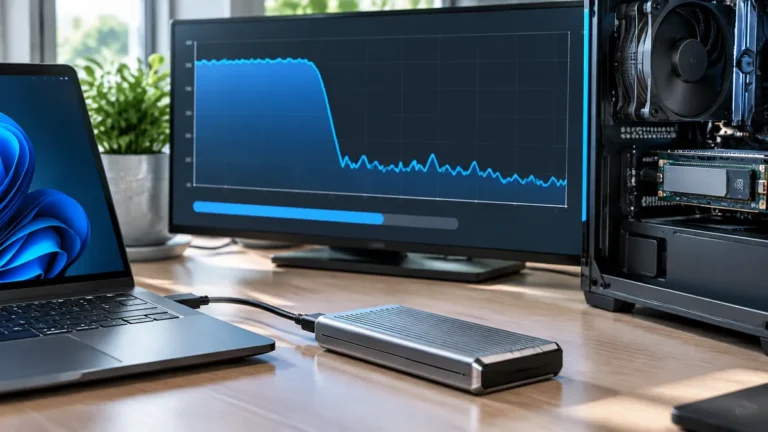
SSD specifications can make it tempting to choose the drive with the highest sequential read and write numbers. Those figures are useful, but they do not tell you whether your particular workflow will be faster. The computer, USB port, cable, enclosure, hub, source files, and application can all become the limiting factor.
1. Identify the files you actually move
Large sequential files are where a fast SSD has the clearest opportunity to help. A workflow that mostly opens small documents may be limited by file operations, application behavior, or the computer rather than the SSD’s headline sequential speed.
2. Check the connection before the drive
Look at the laptop’s port and the cable between the computer and the drive. If the SSD is connected through a hub or dock, test it directly. A fast drive behind a slower link cannot operate at its advertised maximum. This is especially important when the same hub is also carrying a monitor, Ethernet, and other USB devices.
3. Consider sustained performance
Some drives can reach a high speed for a short burst and then slow as a cache fills or the enclosure heats up. That does not make the drive bad; it means a short benchmark may not represent a long transfer. If your workflow routinely copies hundreds of gigabytes, sustained behavior and thermal management matter more than a single peak number.
4. Match capacity to the project
| Priority | What to optimize |
|---|---|
| Office documents | Capacity, reliability, convenience |
| Photo libraries | Capacity plus consistent transfers |
| Video projects | Capacity, sustained performance, interface |
| Portable work | Size, durability, cable compatibility |
If your current drive is constantly full, buying a faster but equally small drive may simply move the problem. Use our capacity guide to estimate how much working space your files require.
5. Keep performance separate from backup
A fast external SSD is still one physical device. It can fail, be lost, or be damaged. If the data matters, maintain a separate backup rather than assuming the SSD’s speed or price makes it safer.
When a faster drive really is worth it
Upgrading makes the most sense when you have identified a repeatable storage bottleneck: long transfers, editing workflows that depend on external media, or large project files that are regularly read and written. If the drive is slow only through a particular hub, cable, or port, fix that path first. Our SSD diagnostic walks through the checks before you replace hardware.
The practical rule is simple: buy the speed your computer and workflow can use, then spend the remaining budget on capacity, reliability, and a recovery plan.
Evaluate sustained use
Peak sequential speed is only one part of the decision. Check the computer port, cable, hub, heat, warranty, file system, and backup path. Repeat transfers after the drive warms up and through the hub used at the desk.
How to verify the recommendation
- Write down the exact model, software version, cable, port, plan, or setting involved.
- Start with a known-good baseline and change one variable at a time.
- Repeat the check under the normal workload, including connected devices or busy periods.
- Record the result, the limitation, and the condition that produced it.
- Keep a fallback, restore step, or recovery copy before making the change permanent.
Use the manufacturer’s current documentation for model-specific limits and safety instructions. Product names and headline specifications do not establish compatibility by themselves. If the result changes after an operating-system, firmware, plan, or account update, repeat the same baseline and compare the new evidence with the previous record.
Before publishing or purchasing, review the decision against budget, workload, compatibility, maintenance, privacy, and recovery. A solution that passes a single benchmark but fails during sleep, restore, sharing, deletion, or a normal busy-day workload is not ready. Keep the notes with the setup so another person can reproduce the check without guessing.
This evidence-based process adds practical value beyond a specification summary. It shows what to measure, which trade-offs matter, and what to do when the result is different from the expected outcome.