Use the capacity estimator
This calculator uses decimal gigabytes and terabytes: 1TB equals 1,000GB. The reserve is a planning choice, not a universal SSD requirement or a manufacturer performance recommendation. The calculator does not estimate backup-version retention, compression, or file-system overhead.
Formula: required capacity = (current files + monthly growth × months) ÷ (1 − reserve percentage ÷ 100). If the calculator does not load, you can apply the same formula manually.
Work through an example
Suppose you have 420GB of files and expect to add 25GB each month for a year. That produces 720GB of planned data. Dividing by 0.8 to allow a 20% reserve gives a nominal requirement of 900GB.
In this example, a marketed 1TB drive is close to the planned requirement, while a 2TB drive gives substantially more room. Whether that extra room is worth the price depends on how uncertain the growth estimate is and how inconvenient another upgrade would be. These are illustrative inputs, not estimates of a typical user’s storage needs.
Count the files your workflow creates
| Workflow | Frequently overlooked space |
|---|---|
| Photo editing | Originals, previews, catalogs, and exported copies |
| Video work | Source footage, proxies, caches, and multiple exports |
| Software projects | Dependencies, build artifacts, and local environments |
| Client archives | Revisions, delivered files, and supporting assets |
Measure a complete recent project instead of estimating from the final output. If your workload changes significantly from month to month, run the calculator with both a moderate and a high-growth scenario.
When 1TB is worth considering
A 1TB drive can make sense when measured files and expected growth fit comfortably, your projects are relatively predictable, and you already have a separate backup arrangement. It can also be appropriate as a transfer drive whose contents are moved elsewhere regularly.
Do not choose it purely because your laptop has a 1TB internal drive. The internal drive may be mostly empty, or your external project files may exceed it. Capacity labels on different devices are not a workload measurement.
When 2TB is easier to justify
Consider 2TB if you already approach 1TB of real data, expect substantial project growth, or regularly need multiple active projects on the drive. Compare the current cost for the same model and warranty conditions. Avoid downgrading the required connection or reliability criteria merely to maximize the capacity label.
Backup disks need separate planning. Apple’s Time Machine guidance recommends a backup device with at least twice the Mac’s storage capacity. That is application-specific guidance and should not be replaced by this working-storage calculator.
Capacity does not replace recovery
A larger drive still represents one physical device. Keep another recoverable copy of important work, and read sync versus backup to check the plan. Once capacity is clear, use the external SSD selection guide to compare interfaces and real compatibility.
Match a product to the calculated capacity
Affiliate disclosure: As an Amazon Associate I earn from qualifying purchases. Some links below are affiliate links. See our affiliate disclosure.
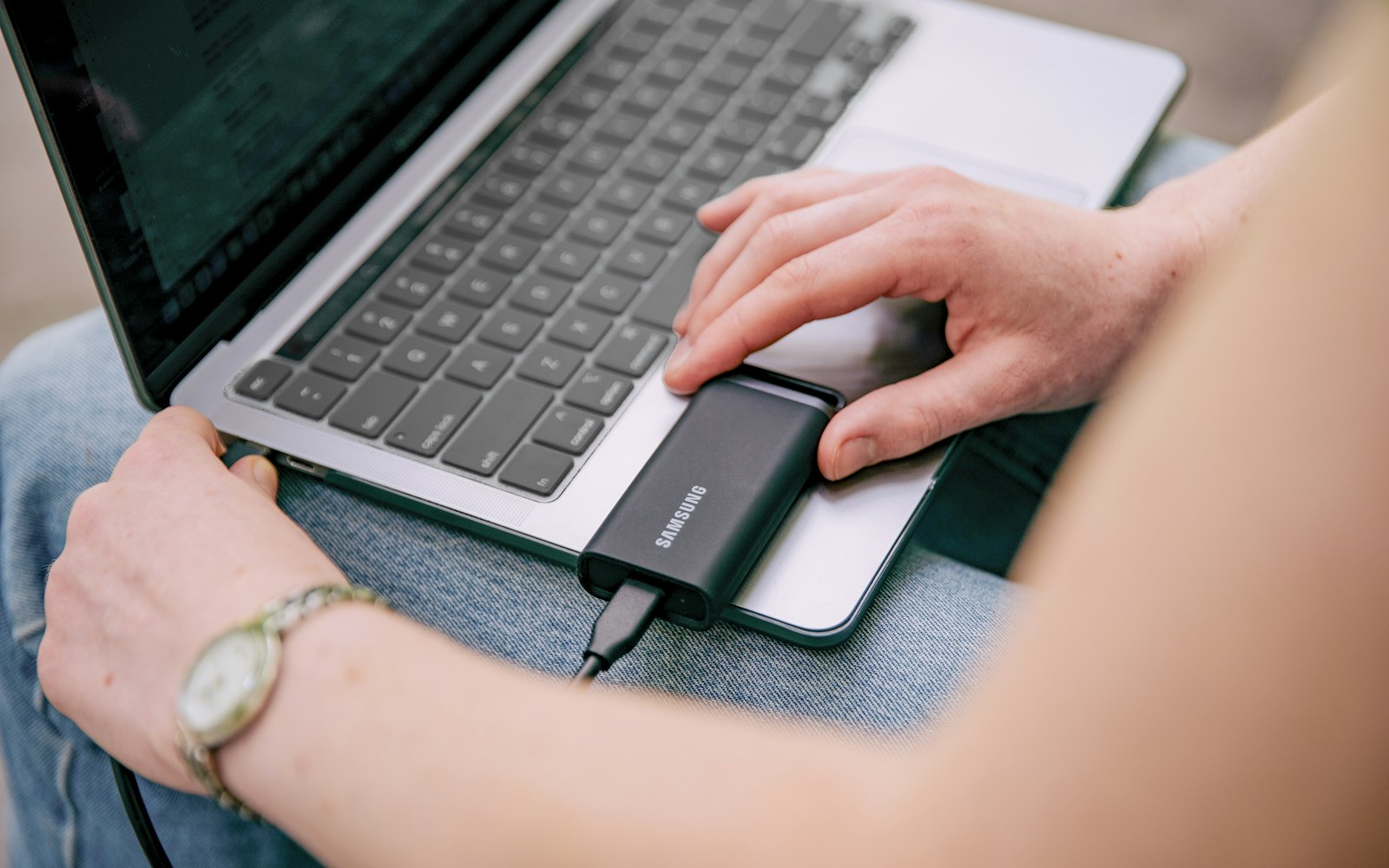
If your measured working files and reserve fit comfortably inside 1TB, the Samsung T7 1TB, Titan Gray (MU-PC1T0T/AM), is a model to compare. Check availability on Amazon. The linked version is 1TB. It is not the right selection if the estimator or backup application calls for more capacity; compare an appropriate larger drive instead.
For streaming, measure a representative recording and include the sessions you retain for editing. The $750 camera-and-storage plan and $1,000 combined production plan keep recording storage separate from the camera budget. A single SSD still needs a separate recovery arrangement.
Estimate storage from the files you actually create
The 1TB versus 2TB decision becomes easier when you stop treating the capacity printed on the box as the starting point. List the file types you create, how often you create them, and how long you keep them. Then leave room for the operating system, working space, future growth, and a separate recovery copy.
Start with a normal week
Imagine a creator who records several hours of video each week, a student who keeps documents and project files, or a remote worker who mainly handles office documents. These workflows can have dramatically different storage requirements even if both people use the same laptop. Video, photo libraries, game captures, and project exports grow much faster than ordinary documents.
Estimate one representative week or month, multiply it by the number of periods you want to keep immediately available, and then add a growth margin. If your working files consume 500GB today, buying a 1TB drive does not mean you have a full 500GB of comfortable headroom. Temporary exports, application caches, versioned files, and new projects will use some of that remaining space.
Separate active storage from archive storage
| Storage type | Question to ask |
|---|---|
| Active | What must be available every day? |
| Archive | What can be stored elsewhere? |
| Backup | What must be recoverable after deletion or failure? |
This distinction can prevent an expensive mistake. A 2TB SSD may be useful as active working space, but it does not automatically replace an archive or backup system. Conversely, buying 2TB when you only need a few hundred gigabytes for active projects may not improve the workflow if the bottleneck is transfer speed or the laptop’s interface.
Leave room for large temporary files
Video editors, photographers, developers, and anyone who works with compressed archives can temporarily need much more space than the final project size suggests. An export may create a second large file while the source remains on the drive. Keep enough free space that normal work does not constantly trigger cleanup.
Think about the connection too
A large SSD connected through a slow hub may not deliver the performance you expect. If you are moving large files frequently, check the laptop port, USB standard, cable, enclosure, and hub before paying a premium for a faster SSD. Our external SSD selection guide covers that decision, while the SSD diagnostic helps when a drive you already own feels slow.
Finally, remember that advertised capacity and usable space are not identical. The practical decision is the amount of working room you need after the drive is formatted and populated with your normal files. For most buyers, a little headroom is more useful than choosing the smallest drive that technically fits today’s folder.
Leave room for growth and recovery
Include temporary exports, versioned backups, and the free space needed before another purchase. A drive used as the only copy is a risk regardless of its capacity. Restore one file before moving the full project.
How to verify the recommendation
- Write down the exact drive, computer, port, cable, and file system.
- Measure current folders, monthly growth, and temporary working space.
- Test small and large files after the drive warms up.
- Check the result through the hub used at the desk.
- Keep an independent backup and restore a sample file.
Use current manufacturer documentation for model-specific limits. Product names and headline speeds do not establish compatibility by themselves. Recheck the baseline after a firmware or operating-system update. Choose the capacity that leaves useful headroom while keeping a separate recoverable copy.